A technical SEO audit checks whether search engines can crawl, render, index and understand your site, and whether pages load fast and work on mobile. Work through it in priority order: first anything that blocks indexing, then site structure and duplication, then speed and mobile, then structured data and AI crawler access. The 40 checks below follow that order so the fixes with the biggest impact come first.
Key Takeaways
- Fix blockers first: noindex tags, robots.txt rules, broken canonicals and server errors stop everything else from mattering.
- Use Google Search Console as your source of truth for what Google actually indexed.
- Most sites lose more to duplication, thin pages and weak internal linking than to speed.
- Check AI crawler access and structured data, because AI search tools rely on the same foundations.
- Re-run the audit after big releases, migrations and redesigns.
How to Use This Checklist
You need three tools: Google Search Console, a crawler such as Screaming Frog or Sitebulb, and a speed tool such as PageSpeed Insights. Crawl the site, export the issues, and work through the sections below in order. Mark each check as pass, fail or not applicable.
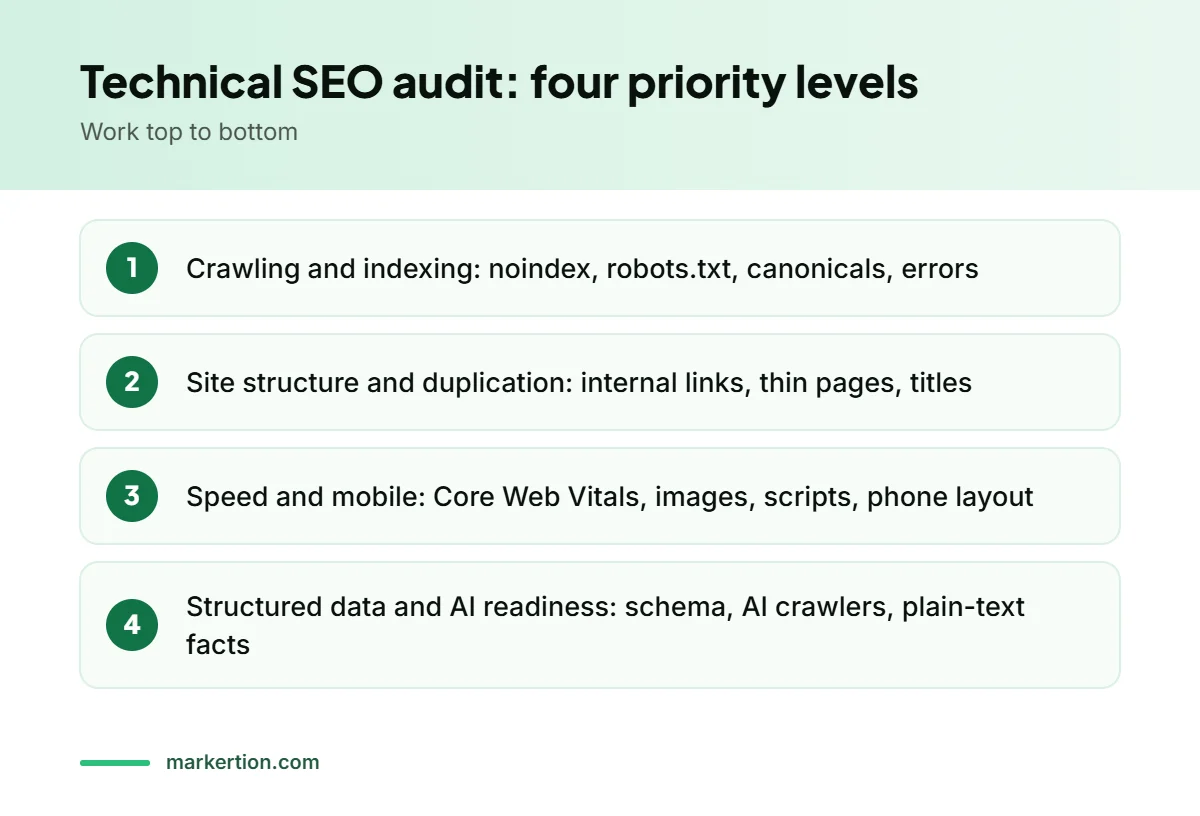
Priority 1: Crawling and Indexing (Checks 1-10)
These are the checks that can remove pages from Google entirely. One wrong tag here can cost more traffic than every other issue combined.
- No important page has a noindex tag. Check money pages and key guides in the crawl and in Search Console’s URL Inspection.
- robots.txt does not block important sections or the CSS and JavaScript files needed to render pages.
- XML sitemap is submitted in Search Console and lists only indexable, canonical URLs that return 200.
- Search Console’s Pages report shows no unexpected spikes in “Excluded by noindex”, “Crawled – currently not indexed” or “Duplicate without user-selected canonical”.
- Server errors (5xx) are rare and fixed quickly.
- Missing pages return a real 404, not a redirect to the homepage. Redirecting all 404s to the homepage creates soft 404s.
- Redirects are single hop. Chains and loops waste crawl budget and dilute signals.
- Canonical tags point to the correct, indexable URL and are not pointing to redirected or noindexed pages.
- HTTPS is used everywhere, with HTTP and www variants redirecting to one version.
- Important content renders without user interaction. Use URL Inspection’s live test to confirm Google sees the text.
Priority 2: Site Structure and Duplication (Checks 11-20)
- Every important page is within three clicks of the homepage.
- No orphan pages. Each indexable page has at least one internal link pointing to it.
- Internal links use descriptive anchors that match the target page’s topic. Our SEO service includes a full internal link review.
- No broken internal links.
- Thin pages are handled. Tag archives, empty categories and near-empty pages are improved, merged or set to noindex.
- Faceted and parameter URLs are controlled so filters do not create thousands of indexable duplicates.
- Pagination is crawlable and paginated pages are not canonicalised to page one.
- One H1 per page that matches its main topic.
- Unique title tags and meta descriptions on every indexable page, within sensible lengths.
- Duplicate or near-duplicate pages are consolidated with redirects or canonicals.
Priority 3: Speed and Mobile (Checks 21-30)
- Core Web Vitals pass for most URLs in Search Console’s report.
- Largest Contentful Paint is fast on key templates. Usually this means optimised hero images and fast server response.
- Layout shift is low. Images and embeds have width and height set.
- Interaction is responsive. Heavy scripts are deferred or removed.
- Images are compressed and in modern formats such as WebP or AVIF, and lazy-loaded below the fold.
- No large inline data such as base64 images embedded in HTML.
- CSS and JavaScript are minified and unused code is reduced.
- Caching is configured for static assets.
- Pages work at phone width with no horizontal scrolling and readable text.
- Tap targets and menus work on mobile, including the navigation drawer.
Priority 4: Structured Data and AI Readiness (Checks 31-40)
- Organization schema on the homepage with name, logo, URL and social profiles.
- Article schema on blog posts with author and dates.
- Breadcrumb schema matches the visible breadcrumb or site structure.
- FAQ, Product or Service schema where the content genuinely supports it.
- Schema validates without errors in Google’s Rich Results Test.
- AI crawlers are not blocked by accident. Check robots.txt for rules affecting crawlers such as GPTBot, Google-Extended, PerplexityBot and ClaudeBot, and decide on purpose.
- Key facts are in plain HTML text, not only inside images or scripts, so AI tools can read them.
- Author and About pages show who is behind the content, which supports E-E-A-T.
- Hreflang is correct if you serve several languages or countries.
- Search Console has no manual actions or security issues.
For a deeper look at checks 31 to 37, read our schema markup guide for AI Overviews and our guide on getting cited by AI assistants.
Turning the Audit Into a Fix Plan
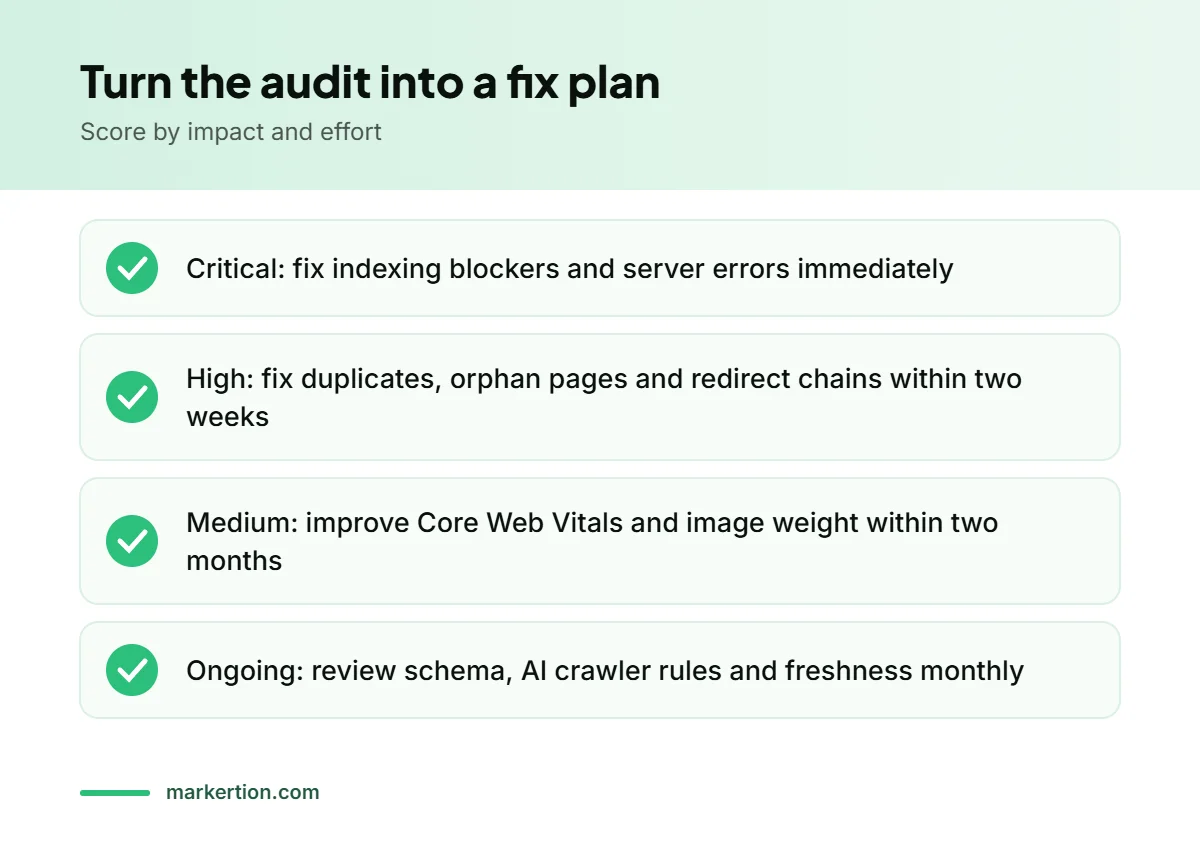
An audit is only useful if it turns into work that ships. Score each failed check by impact and effort, then group fixes into sprints:
| Priority | Typical issues | When to fix |
|---|---|---|
| Critical | Noindex on money pages, blocked rendering, server errors | Immediately |
| High | Duplicates, orphan pages, broken links, redirect chains | Within two weeks |
| Medium | Core Web Vitals, image weight, thin archives | Within one to two months |
| Ongoing | Schema, AI crawler rules, content freshness | Monthly review |
After each sprint, re-crawl the site and use URL Inspection to request indexing for the most important fixed pages.
Common Audit Mistakes
- Fixing scores instead of problems. A perfect speed score does not help if key pages are noindexed.
- Ignoring Search Console. Crawlers show what could happen; Search Console shows what Google actually did.
- Auditing once. Releases, plugins and redesigns break things. Schedule a light audit every quarter.
- Changing many things at once without notes. Keep a change log so you can trace what helped or hurt.
A Real Example: Small Fixes, Big Effects
Technical issues are often invisible until you look. On one service site we audited, the most important service page had carried a noindex tag for months after an old redesign, so Google had dropped it entirely while the team kept building links to it. In the same audit we found a setting that redirected every missing URL to the homepage, which created soft 404s across the site, and over a hundred thin tag and archive pages competing with real content.
None of these fixes needed new content or new links. Removing the stray noindex, returning real 404s and setting thin archives to noindex took a few hours, yet they decided whether the site’s best pages could rank at all. That is why indexing checks always come first in this checklist: they protect every other investment you make in content and links.
Frequently Asked Questions
What is a technical SEO audit?
A technical SEO audit is a structured review of whether search engines can crawl, render and index your site, and whether pages are fast, mobile-friendly and clearly structured.
How often should I run a technical SEO audit?
Run a full audit at least twice a year and a light check every quarter, plus extra audits after migrations, redesigns or major plugin changes.
What should I fix first?
Fix anything that blocks indexing first: noindex tags on important pages, robots.txt blocks, wrong canonicals, server errors and redirect problems.
Do AI search tools care about technical SEO?
Yes. AI assistants retrieve pages through crawling and indexing too. Blocked crawlers, hidden text and missing structured data make it harder for them to read and cite your content.
Can Markertion run a technical SEO audit for my site?
Yes. Our SEO service includes a full technical audit, a prioritised fix plan and help shipping the fixes.
Final Thoughts
Technical SEO is about removing anything that stops good pages from being found, understood and trusted. Work in priority order, use Search Console to confirm what Google sees, and turn every audit into a short list of fixes that actually ship. Then repeat it on a schedule, because sites change faster than most teams expect.
About the author: Shahidul Afridi is the founder of Markertion, a digital PR and link building agency that has built 6,000+ links for 260+ client partners since 2021. He writes from hands-on campaign work, not theory.

Digital PR & Link Building Expert